
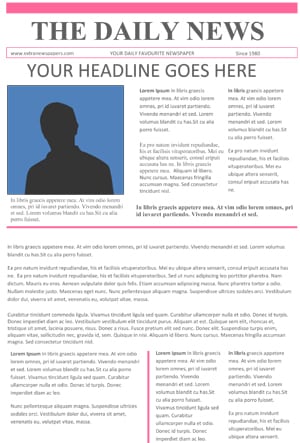
A newspaper template gives you a ready-made front page with a masthead, headlines, columns and photo spaces, so you can create a professional-looking newspaper without design skills. It’s great for school projects, newsletters and community news.
Download three free newspaper templates below for Word and PowerPoint.
What’s Included
- A newspaper template for Word
- A newspaper template in PowerPoint (.pptx)
- A zipped Word newspaper template
- Mastheads, headline areas, columns and image placeholders
| Template | File format | Hosted on |
|---|---|---|
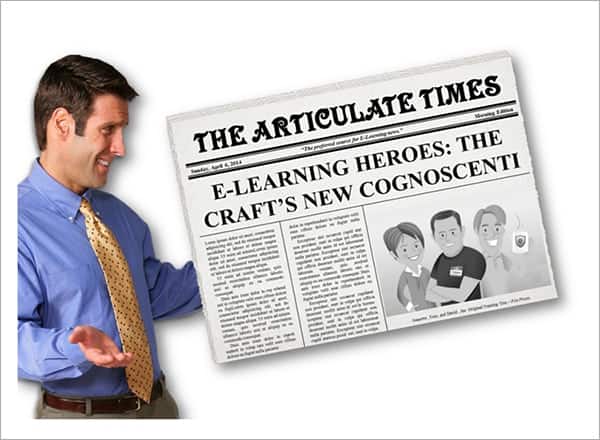
| Newspaper Template For Word Program | ZIP (zipped file) | External site |
| Newspaper Template 1 | PowerPoint (.pptx) | GetWordTemplates |
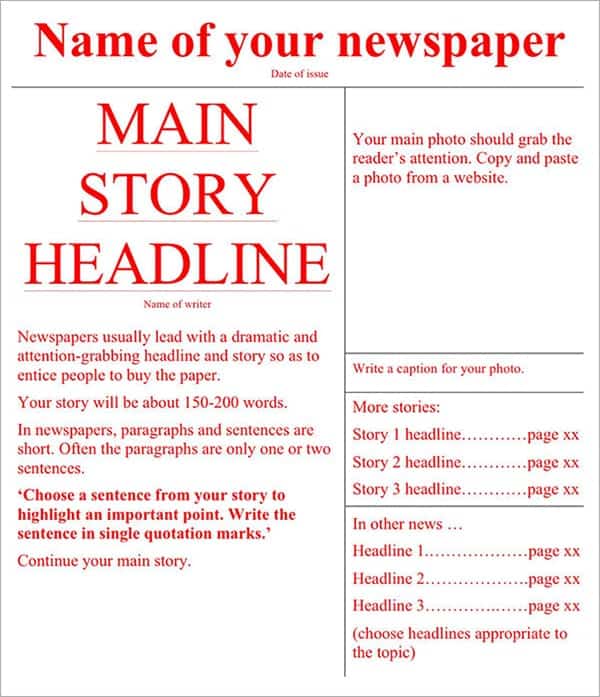
| Newspaper Template 2 | Word (.doc) | GetWordTemplates |
Download the Free Newspaper Templates
Click a preview or download button. One template is hosted on another website.
Newspaper Template For Word Program

How to Use These Templates
- Choose a template and open it in Word or PowerPoint.
- Edit the masthead with your newspaper’s name and date.
- Write a main headline and lead story.
- Add shorter stories, photos and captions in the columns.
- Check that text flows correctly between columns.
- Print, export to PDF or share it digitally.
Who It’s For
Newspaper templates suit teachers, students, school clubs, community groups, families, businesses and event organizers.
- School and classroom newspapers
- Historical or creative writing projects
- Community and church newsletters
- Family news and party keepsakes
Tips for Creating a Newspaper with a Template
- Lead with your best story. Put it at the top with the biggest headline.
- Write short headlines. A few strong words work best.
- Use captions. Every photo should say who or what it shows.
- Keep fonts consistent. One headline font and one body font look professional.
- Get permission for photos. Especially for photos of children.
Plan a One-Page School Newspaper
Assign one lead story, two short updates, one photograph with a caption, and a publication name and date. Draft the lead story before changing column widths; if the text does not fit, edit it for relevance rather than shrinking the body font until it is hard to read. Use a caption that explains who or what is shown and credit the image source.
Check the print size before choosing a template. A layout designed for a large sheet may become unreadable when reduced to office paper. Export a PDF proof, print one copy and check text flow, column breaks and image placement. Identify fictional news clearly in novelty or classroom projects.
Plan the writing and supporting material with our outline templates, biography templates, event program templates.
Why a Newspaper Template Matters
Designing a newspaper layout from scratch requires careful attention to column widths, font choices, and headline hierarchy. Getting this right can take hours, even for someone with design experience. A ready-made newspaper template solves this by giving you a properly structured layout from the start. That way, you can focus on the content itself rather than fighting with formatting. This makes newspaper templates especially useful for teachers assigning class projects and businesses creating internal newsletters. They’re also handy for anyone putting together a novelty newspaper for a special occasion like a birthday or anniversary.
Frequently Asked Questions
How do I make a newspaper in Word?
Download a template, replace the placeholder headlines, stories and images, and adjust the columns as needed.
Can students use these templates for school projects?
Yes. They’re ideal for class newspapers, history projects and creative writing.
Can I print a newspaper template at home?
Yes. Print on A4 or US Letter paper, or larger paper if your printer supports it.
Related Templates
Download a free newspaper template above and start publishing your own school or community news today.

You must be logged in to post a comment.