
What Is a Coupon Template?
A coupon template is a pre-formatted design — typically for Word, Excel or a design program — that you can customize with your own text, discount amount and branding to create a coupon in minutes instead of building the layout from scratch. A coupon itself is simply a voucher entitling the holder to a discount, a rebate, or a free item when redeemed with a company, store or individual.
Why Businesses Use Coupons
Coupons remain one of the cheapest ways for a small business to drive repeat visits and attract new customers: a discount coupon brings in price-sensitive shoppers, a gift coupon works as a low-cost customer-appreciation gesture, and a holiday or seasonal coupon can create urgency around a sale. Beyond business use, coupon-style templates are also popular for personal gifts — a “love coupon” booklet, a homemade voucher for a favor, or a printable reward for kids.
Types of Coupons
Not all coupons serve the same purpose. A discount coupon knocks a percentage or fixed amount off a purchase. A gift coupon is prepaid or promised value redeemable for goods or services, often given as a present. A love or relationship coupon swaps monetary value for a favor — a home-cooked dinner, a chore done, a free pass on choosing what to watch — and is popular for anniversaries, Valentine’s Day or birthdays. A loyalty or BOGO (buy-one-get-one) coupon rewards repeat customers rather than discounting the first purchase. Knowing which type you’re making before you start editing makes it much easier to pick the right template below.
Designing Your Own Coupon
You don’t need professional design software to make a coupon that looks polished. Microsoft Word can handle borders, text boxes and simple graphics well enough for most printable coupons, while tools like Canva or Photoshop give you more flexibility if you want custom colors, icons or a torn-edge effect. Starting from a template saves the most time, since the layout, spacing and border are already done — you just swap in your own offer, expiration date and branding.
Tips for an Effective Coupon
A coupon works best when the offer is easy to understand at a glance — lead with the discount or benefit, not with your business name or a paragraph of terms. Always include a clear expiration date; an open-ended coupon is harder to plan around and can be redeemed long after it stops making financial sense. If the coupon has restrictions (minimum purchase, excluded items, one per customer), state them in small print rather than leaving them out, since vague terms create disputes at checkout.
Free Coupon Templates
Choose from the downloadable files below. Each retained preview has an associated file link; check the file format before opening it in your software.
Free Printable Coupon Template
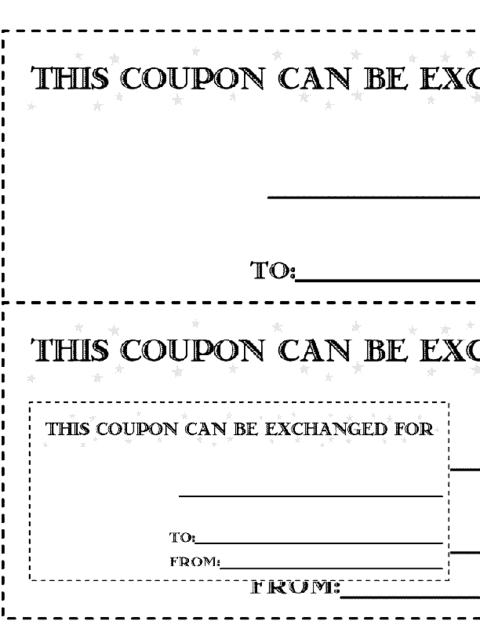

Colorful Coupon Sample In Word

Write an Offer Customers Can Redeem
Here is a fictional café offer: “Save 10% on one food order of $15 or more. Valid Monday–Thursday through 30 November. One coupon per order; excludes delivery and gift cards. Show code LUNCH10 before payment.” The discount, qualifying purchase, expiry and exclusions appear together so staff and customers can apply the same rule.
Before distributing a coupon, calculate the margin after the discount and decide how redemptions will be recorded. Test the code with staff and print one copy to check that the smallest terms remain readable.
Support the offer using these related resources: price list templates, marketing report templates, client information sheet templates.
Frequently Asked Questions
Can I resize these coupon templates?
Yes — once downloaded, the Word-based templates can be resized, recolored and rearranged freely, so you can adapt a single design for a business card size, a half-page flyer, or a full-page voucher.
Do these coupons need a barcode to be valid in-store?
Not necessarily. Many small businesses redeem coupons manually by checking the expiration date and offer text, but if you need to track redemptions automatically, you can add a QR code or a printed code your point-of-sale system can scan.
How many coupons should I print at once?
That depends on your promotion’s reach and how long you plan to run it. For a small campaign, print in small batches and track redemption — it’s easier to print more than to figure out what to do with hundreds of unused, expired coupons.
Can I make a digital coupon from these templates instead of a printed one?
Yes — export the finished design as a PDF or image and share it by email or on social media. Just make sure the expiration date and terms are still clearly visible at the size it will be viewed on a phone screen.

You must be logged in to post a comment.