
A bank balance answers how much cash is in an account at a particular moment. An income statement answers a different question: what revenue and expenses belong to the reporting period, and what result do they produce under the chosen accounting basis?
The two income statement templates below provide manual layouts for a service business and a trading business. They are editable Word documents, not accounting software or automatic calculators. Use them to present figures from reviewed records, with classifications and adjustments checked by the person responsible for the accounts.
View the two editable Word downloads
Set the period and accounting basis before entering figures
Write the start and end dates clearly. A monthly profit and loss statement should not quietly include a supplier cost from a different reporting period or omit a final adjustment that belongs to the month. The accounting basis affects when items are recognized, so identify it rather than assuming every reader will infer it.
Keep the currency visible. If records contain more than one currency, use the accounting process that applies to the business to prepare consistent figures. Adding differently denominated amounts into one total does not produce a meaningful result.
Choose a comparison period that helps the reader. Last month may be useful for a stable service business, while the same period in the prior year may provide better context for seasonal activity. Label the comparison and explain a material difference in period length or classification.
The templates provide a place for the basis and sources because a polished heading cannot make inconsistent underlying data reliable. Resolve those questions before interpreting a change in profit.
Choose the service or trading layout
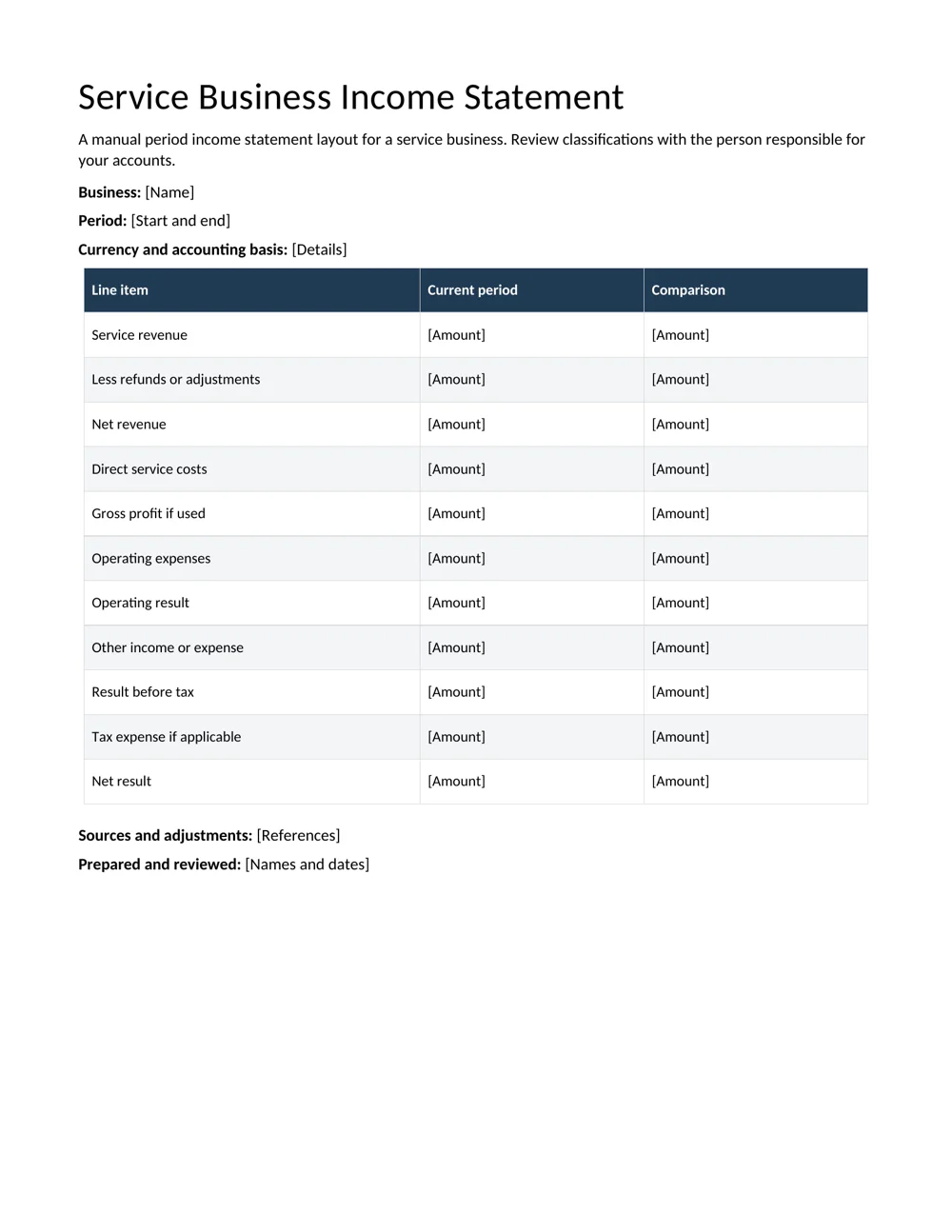
The service business layout starts with service revenue, adjustments, direct service costs and operating expenses. It offers a comparison column for another period. Keep only the lines that fit the business’s reviewed presentation.
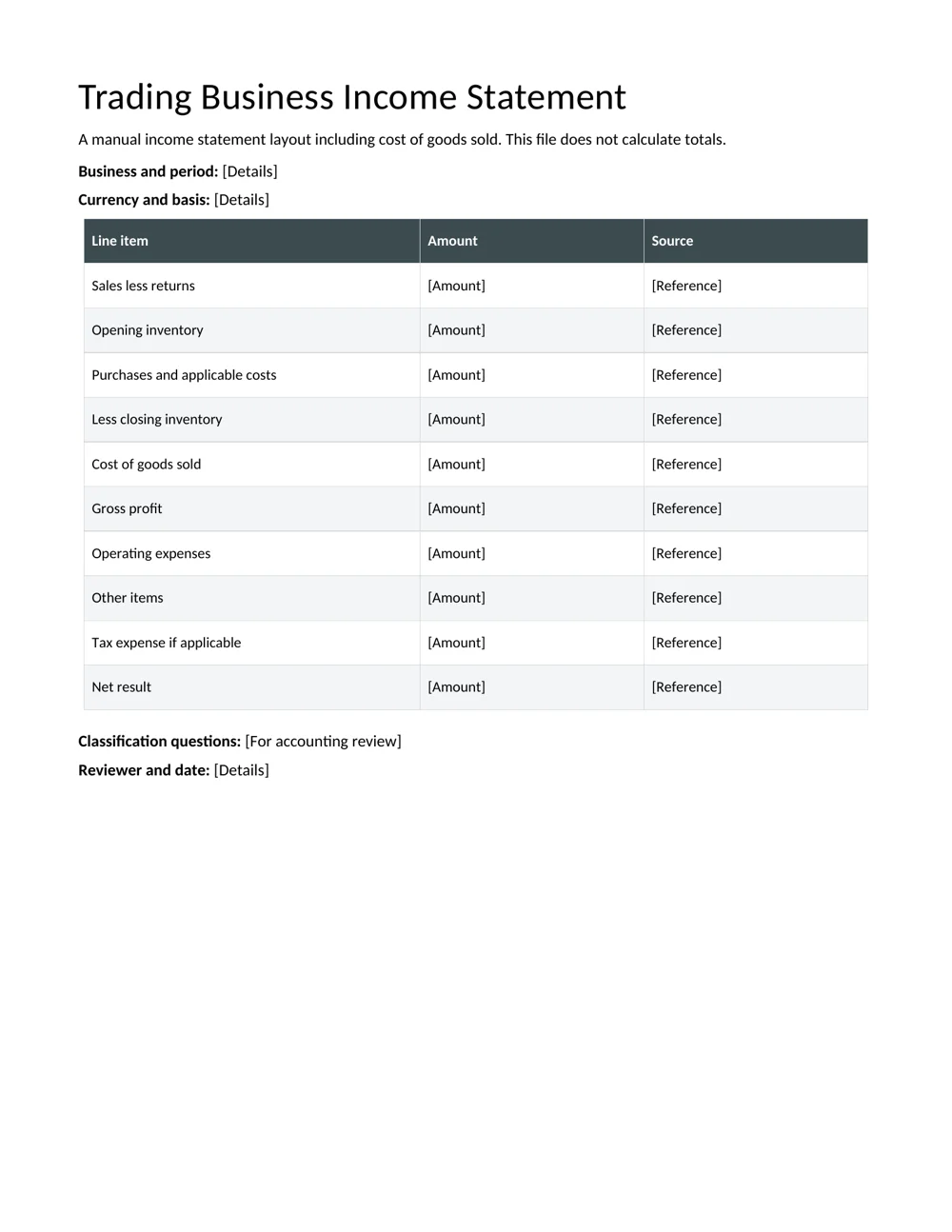
The trading layout includes a cost of goods sold section with opening inventory, purchases and applicable costs, and closing inventory. Its source column helps the preparer trace figures back to the relevant records. Inventory treatment and cost classification need appropriate accounting review.
Neither layout is a prescribed statutory reporting form. A lender, tax authority, investor or other recipient may require a different format or additional statements. Confirm the required presentation before using a simple Word statement for an external purpose.
For a working narrative that explains the period, a monthly report can accompany the statement. Keep commentary and financial totals connected, but do not let a positive narrative obscure the actual result.
Bring figures from records you can trace
Use transaction records, ledger summaries and reviewed adjustments as the starting point. The IRS recordkeeping guidance is a useful U.S. example of the importance of records that clearly show business income and expenses. Other jurisdictions have their own requirements.
Record a source reference for a figure that might need explanation. A revenue total could link to the period’s sales summary, while an expense grouping could reference the relevant account report. The reference should let the reviewer reproduce the figure without searching through unrelated files.
Check for duplicates and missing entries before moving totals into Word. A spreadsheet export and a manually entered adjustment may contain the same item. Conversely, a late supplier document may not yet appear in a preliminary report.
Keep estimates and unresolved adjustments visible in the working papers. An unknown amount should not become a precise-looking final number merely because the template has a cell waiting to be filled.
A service business example with manual arithmetic
Consider a fictional service business with revenue of 8,000 currency units and customer adjustments of 200. Net revenue is 7,800. If the reviewed direct service costs are 2,300, the gross profit shown in this illustrative presentation is 5,500.
Suppose operating expenses total 3,100. Subtracting them gives an operating result of 2,400. Other income, expenses and any applicable tax expense would then be presented according to the business’s accounting treatment to arrive at the final result.
These amounts explain the layout; they are not a recommended chart of accounts or an estimate of another business’s performance. The same payment may require different treatment depending on what it relates to and the accounting basis used.
The Word file does not update totals when you change an input. Recheck every dependent line after revising revenue, costs or expenses. A correct first calculation can become an incorrect statement after one apparently small edit.
Understand what the trading statement is asking for
A trading business may need to connect sales with the cost of goods sold during the period. In a simplified example, opening inventory of 3,000 plus applicable purchases and costs of 7,000 gives 10,000 available before considering closing inventory.
If the reviewed closing inventory is 2,500, the simplified cost of goods sold is 7,500. Sales of 12,000 would then produce gross profit of 4,500 before operating expenses and other relevant items. The example assumes the stated inputs are appropriate for that calculation.
Do not substitute purchases alone for cost of goods sold without considering the inventory treatment that applies. Goods purchased during the period may remain unsold, while goods sold may have been held at the start. The statement needs the reviewed amounts, not a shortcut chosen because it is easier to copy.
Use a closing checklist to track inventory records, source completeness and reviewer questions. The checklist supports the preparation process; it does not decide the accounting treatment.
Review classifications before comparing performance
A change in classification can make a margin look different even when the underlying business activity has not changed. If a cost moves from operating expenses to direct costs, explain the effect and consider whether the comparison needs adjustment under the applicable process.
Separate an accounting classification question from a business explanation. A higher expense total might reflect more activity, a one-off purchase, a timing issue or a reclassification. Identify what the records support before describing the cause.
Do not treat profit as the same thing as cash available to spend. Customer balances, supplier balances, inventory, financing and other movements can affect cash differently. A full financial review may need additional records and statements beyond this page.
A status report can assign unresolved preparation questions to owners and dates. Keep those working questions out of the final issued statement once they have been resolved, while retaining the supporting record.
Issue a statement another reviewer can understand
Before sharing, check the business name, reporting dates, basis, currency, line descriptions and arithmetic. Make sure the title matches the period and the figures do not include an unnoticed comparison column from an earlier draft.
Use clear grouping rather than dozens of unexplained expense labels. Where a recipient needs detail, provide a supporting schedule with a reference. Where a line combines several accounts, keep the reconciliation available to the reviewer.
Identify the prepared and reviewed versions through your normal record process. If an issued statement changes, record why and distinguish the revised copy. Silent replacement makes later comparisons and discussions harder to follow.
For tax filings, lending decisions or regulated reporting, confirm the actual requirements with the appropriate professional or authority. These templates are a presentation aid for reviewed information. Their usefulness depends on accurate records and a suitable accounting process, not on how official the page looks.
Check the sign as well as the amount
Look for a refund, expense reversal or other adjustment copied with the wrong sign. A correct magnitude entered on the wrong basis can change the result substantially. Compare it with the supporting record and have the responsible reviewer confirm the presentation before treating the statement as final.
Download the 2 editable Word resources
Service Business Income Statement
A manual period income statement layout for a service business. Review classifications with the person responsible for your accounts.
Trading Business Income Statement
A manual income statement layout including cost of goods sold. This file does not calculate totals.
Frequently asked questions
Do these templates calculate profit automatically?
No. Enter the figures and check each subtotal and final result manually. Changing one line can affect several later totals.
Is an income statement the same as a cash summary?
No. An income statement presents revenue and expenses for a period under the chosen basis. It should not be assumed to equal the movement in a bank balance.
Which template suits a service business?
Start with the service layout and adapt its lines to the reviewed accounts. Use the trading layout when a cost of goods sold presentation fits the business.
Can I use this for a tax return or bank application?
Confirm the recipient’s required format and supporting information first. A general Word layout may not meet that purpose on its own.
Who should check the classifications?
The person responsible for the accounts or an appropriately qualified adviser should review the treatment and presentation for the business and jurisdiction.

Leave a Reply
You must be logged in to post a comment.