
A good monthly report format helps you summarize a month’s results, progress and issues in a way managers and stakeholders can read quickly. Using the same format every month makes trends and changes easy to spot.
This page links to five free monthly report examples in PDF, covering sales, project status, activities and finances, along with guidance on what to include.
What’s Included
- A monthly sales report format
- A monthly project status report format
- A monthly activity report example
- A monthly performance report sample
- A monthly financial report example
| Template | File format | Hosted on |
|---|---|---|
| Sales monthly report format for free | External site | |
| Monthly report format for project | External site | |
| Monthly Activity Report Template | External site | |
| Monthly Report Format PDF | External site | |
| Financial Monthly report for free | External site |
Download the Free Monthly Report Format Templates
These examples are hosted on other websites and open from their original source. Click a preview or download button to view a file.
Sales monthly report format for free


Monthly report format for project
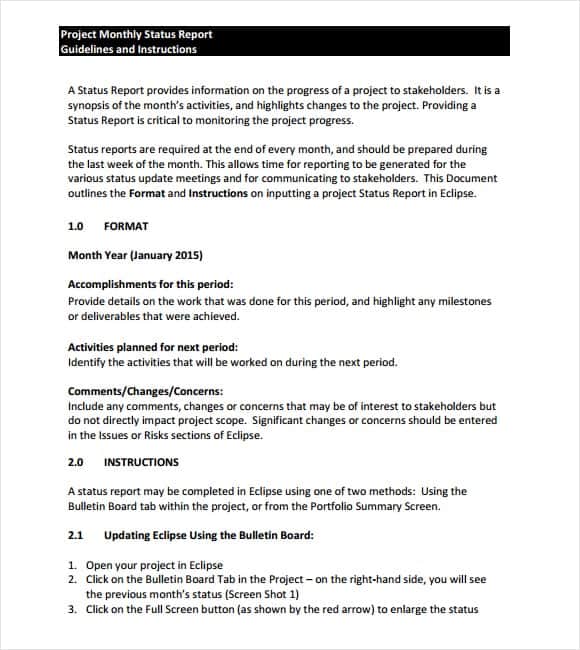
Monthly Activity Report Template

Monthly Report Format PDF

Financial Monthly report for free

How to Use These Templates
- Choose the report type: sales, project, activity or financial.
- Set out a consistent structure: summary, results, progress, issues and next steps.
- Gather figures from the same sources each month.
- Compare results with last month and with targets.
- Explain significant changes in plain language.
- Finish with decisions needed and priorities for next month.
Who It’s For
Monthly reports are written by managers, project leads, sales teams, finance staff, nonprofits and grant recipients.
- Sales and performance reporting
- Project status updates
- Activity and program reports
- Monthly financial summaries
Tips for Writing a Monthly Report
- Start with a summary. Put the headline results in the first paragraph.
- Keep the format consistent. Readers find information faster when it’s always in the same place.
- Explain the numbers. Say what changed and why, where you know.
- Flag issues early. Risks and blockers belong in the report, not hidden.
- End with next steps. Make clear what happens next month.
A Monthly Summary That Explains the Numbers
Consider a fictional service team with a target of 100 completed cases and an actual result of 90. Report the variance as 10 cases below target, or 10% below target, and explain the cause: for example, a supplier delay affecting a named group of cases. Pair that explanation with an owner and recovery date. “Activity increased” does not tell a manager whether the month met expectations.
Keep the reporting period, data source and metric definitions visible. Separate results already achieved from next month’s forecast, and flag estimates rather than mixing them with confirmed totals. Use monthly reporting for trends and management decisions; use a weekly status update for immediate blockers. When rolling up weekly data, check date boundaries and remove duplicates instead of simply adding every weekly total.
Types of Monthly Reports
Monthly reports come in several common varieties, each tailored to a different purpose. A monthly sales report format tracks revenue, units sold, and sales team performance. A monthly project report format documents task completion, timeline status, and budget use for an ongoing project. A monthly activity or status report format is broader, covering general work completed across a role or department. A monthly financial report format focuses on income, expenses, and overall financial health. A monthly business report format may combine several of these elements into a single executive-level summary. Choosing the right type of monthly report format template for your situation, rather than forcing one generic layout to cover every purpose, makes the finished report far more useful to its reader.
Frequently Asked Questions
What is the format of a monthly report?
A typical monthly report includes a title and period, an executive summary, key results, progress against goals, issues and risks, and next month’s priorities.
How long should a monthly report be?
One to three pages is common. Add appendices for detailed data.
What is the difference between a monthly and a weekly report?
A weekly report tracks short-term progress. A monthly report summarizes results and trends over a longer period.
Related Templates
- Daily Report Templates
- Marketing Report Templates
- Weekly Report Templates
- Weekly Status Report Templates
Open a free monthly report format example above and build a clear, consistent report your readers will appreciate.

You must be logged in to post a comment.