
These memo templates help you communicate a decision request or a team announcement without burying the main point. Use the decision memorandum to compare options and request approval. Use the announcement memo to explain a change, its effective date and the actions readers need to take.
Both Word files include editable headings and tables. Choose the format that fits the reader’s next step, then replace the prompts with concise facts and clear ownership.
Jump to the downloadable templates
Choose the right memo for the message
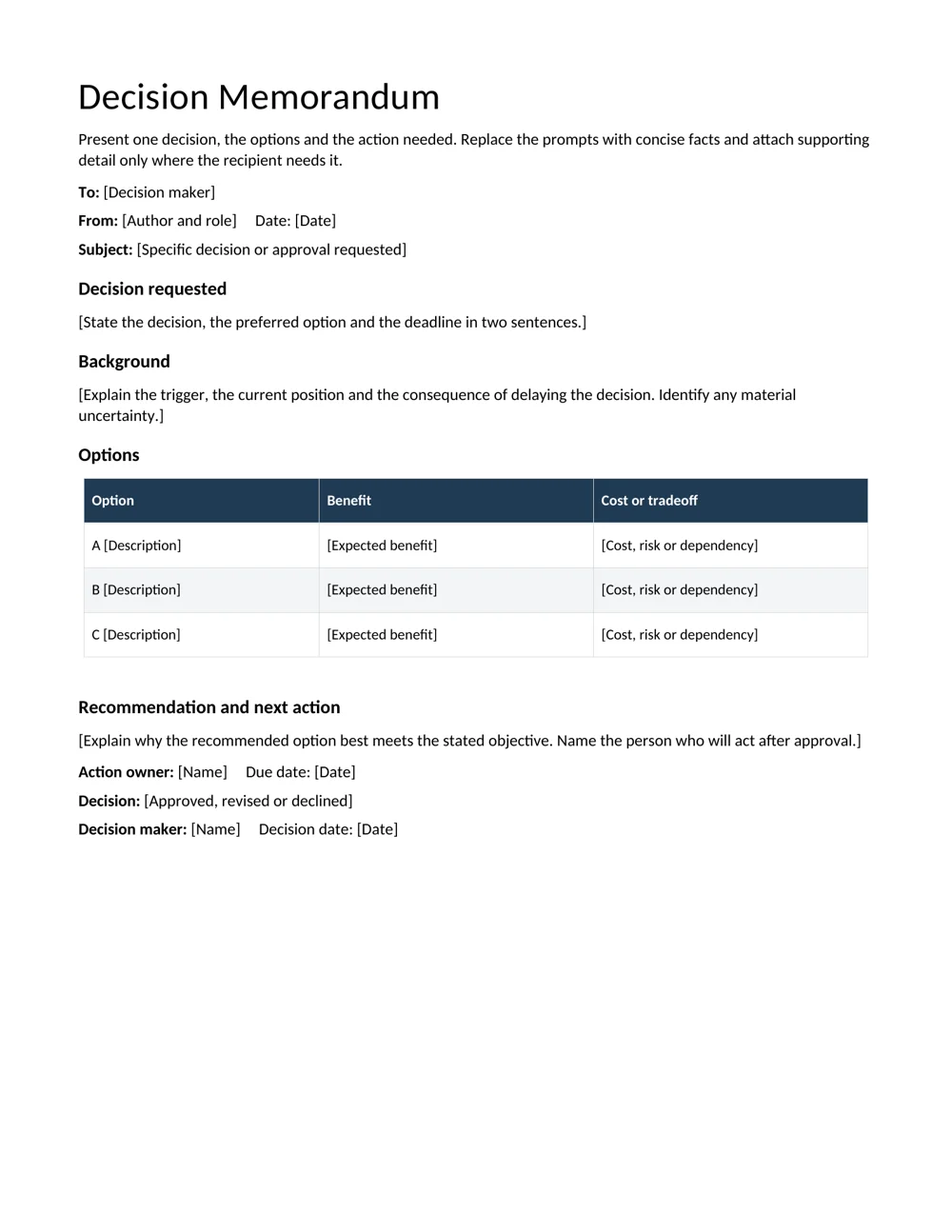
A decision memo asks someone to choose or approve a course of action. It needs the decision requested, relevant background, options, the recommendation and a deadline. The reader should understand the request before reaching the supporting detail.
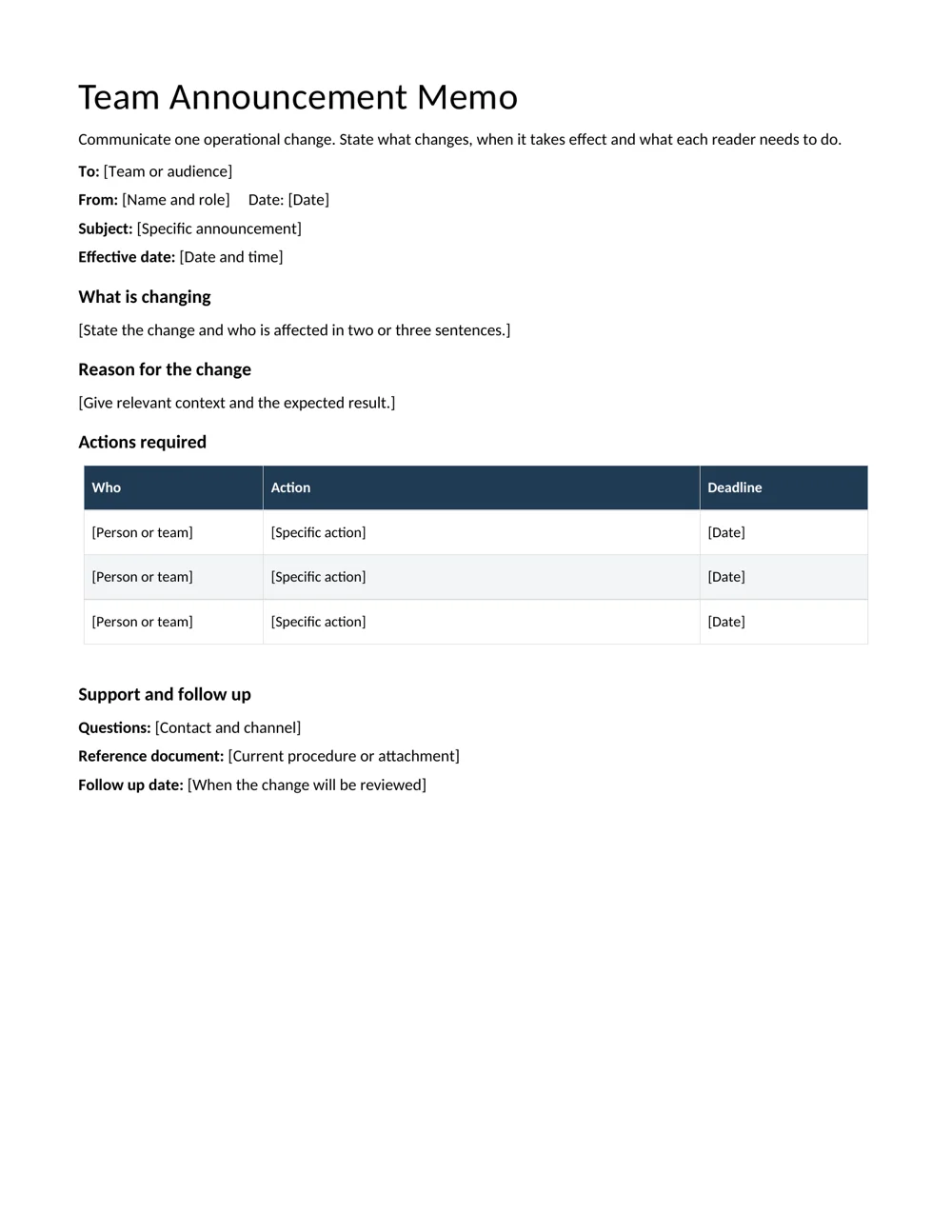
An announcement memo communicates a change that is ready to be shared. It needs the affected audience, the effective date, what is changing, why it matters and any actions required. A change that is still being considered should not be written as though it has already been approved.
If the purpose is to capture discussion and decisions from a meeting, use meeting minutes templates. A memo can communicate the resulting action afterward, but it serves a different purpose from the full meeting record.
Build a decision memo around one request
- Write a specific subject. “Approval requested: revised support rota for November” is more useful than “Staffing.”
- Lead with the decision. State the preferred option, what approval is needed and the date by which a response is useful.
- Give necessary background. Explain the trigger and the consequence of delaying the decision. Keep a clear distinction between known facts and uncertain assumptions.
- Compare realistic options. Use consistent factors, such as coverage, effort, cost and dependencies. Explain a meaningful tradeoff for the preferred option.
- Name the next action. Identify who will act after approval and how the decision will be recorded.
Attach detail when it helps the reader check the recommendation. The memo should still make sense without requiring the reader to search every attachment for the actual request.
Decision memo example
An illustrative opening could say: “Please approve a two-week trial of staggered support breaks beginning November 2. A decision by October 28 will allow the team lead to update the rota and brief staff.” This states the action, scope and timing in two sentences.
The background could explain that unanswered queries cluster during the current shared break. The options table might compare retaining the current rota, staggering breaks and adding temporary cover. The recommendation should explain why the trial is proportionate and what evidence will be reviewed before extending it.
Do not claim a benefit is certain if it is only expected. Record a review point, such as comparing response coverage during the trial, and assign an owner to gather the information. If the decision will be discussed at a meeting, put it on a meeting agenda with the memo available beforehand.
Make an announcement easy to act on
Start by stating what changes, who is affected and when it takes effect. Follow with a short reason and an action table. Each action should have an audience or owner and a deadline. If no action is required, say that plainly.
For example: “From November 2, service requests should be submitted through the shared request form. Team leads should circulate the link by October 30. Existing open requests will remain with their current owners.” The message answers common operational questions without a long introductory history.
Give readers a contact for questions and a reference to the current procedure. Avoid circulating several conflicting versions of the same announcement. If the effective date changes, issue a clearly dated correction to the affected audience.
Edit and follow up
Read the first paragraph on its own. It should make the purpose obvious. Remove repeated background, undefined abbreviations and vague phrases such as “as soon as possible” where a specific date can be given. Use a respectful, factual tone, especially when the message concerns a problem.
Check names, dates, figures and attachment references. Make sure the distribution list matches the people who need the information. Save the approved version with the decision or reference record.
For actions that continue beyond the memo, a weekly report can track progress and unresolved items. The memo establishes the decision or change; follow-up reporting shows whether the agreed work happened.
Choose the audience and level of detail deliberately
Identify the person who must make the decision and the people who only need to know the outcome. A memo written for both groups may need a short main message and a separate supporting attachment. Sending every reader the same long background can make the action harder to find.
Ask what the decision maker already knows. Explain the trigger and the relevant facts, but avoid repeating a full project history unless it affects the choice. If a new reader needs background, provide a concise reference that does not interrupt the request.
For an announcement, think about the questions the affected team will ask first: does this apply to me, when does it start, what happens to existing work and where do I ask for help? Answer those questions directly. A good reason for the change does not replace practical instructions about the transition.
Check whether different groups need different actions. A team lead may need to brief staff while individual employees only need to use a new form from the effective date. Put each action against its audience so nobody has to infer responsibility from a general statement that “the team should prepare.”
Improve the wording before adding more background
Compare “It has been decided that changes will be implemented in due course” with “The new request form takes effect on November 2.” The second sentence identifies the change and date. If the decision is still pending, use a request rather than an announcement: “Please approve the new request form for use from November 2.”
Replace vague references such as “this issue,” “the above” or “the usual process” when the reader might not know what they mean. Name the request, document or action. A memo is often forwarded beyond the original audience, so the main message should remain understandable without a separate conversation.
Use headings to guide the reader through the decision or change, not to make every sentence look equally important. The supplied templates keep the main request, background, options and next action distinct. Remove a section if it serves no purpose rather than filling it with repeated information.
Review numbers and dates in both the prose and tables. A deadline in the first paragraph should match the action table and any attachment. Small inconsistencies can delay a decision even when the recommendation itself is clear, because the reader has to ask which detail is correct.
Record the response and communicate the next step
A decision request is not complete merely because the memo was sent. Decide where the response will be recorded and who will check for it. The decision field can capture approval, revision or rejection with a date and decision maker, while the action owner records what happens afterward.
If the response changes the proposed option, update the implementation instructions before circulating an announcement. For example, approval of a one-week trial is different from approval of the original two-week proposal. The team should receive the decision actually made, including any conditions or review date.
For an announcement, confirm that the reference document and support contact are ready when the change takes effect. A message that points to an unavailable form or an obsolete procedure creates extra questions and weakens the usefulness of the memo. Check the referenced material as part of the final review.
At follow-up, report the result against the intended action. If the trial did not answer the original question, state what remains uncertain and what decision is needed next. Keep the approved memo and response together so later readers can follow the path from request to decision to action without reconstructing it from scattered messages.
Download the 2 editable templates
Choose a file below. The preview shows the supplied layout; use the download link to open the editable document. Save a clean master before creating your completed copy.
Decision memorandum
Present the decision requested, background, options, recommendation and action owner.
Team announcement memo
Explain an operational change, its effective date and the actions required from readers.
Frequently Asked Questions
What goes at the top of a memo?
Include the audience, author, date and a specific subject. An announcement also benefits from an explicit effective date; a decision memo should make the response deadline clear.
Should a memo be one page?
One page is often practical for a focused message. Use more space when the decision needs it, but move detailed evidence into clearly referenced attachments where appropriate.
Can I send a memo by email?
Yes. You can attach the completed document or adapt the text into an email. Keep the subject, main request and action details clear in either format.
Does every memo need approval?
That depends on the organization and message. The decision template records a requested decision; the announcement template should reflect a change that is authorized to communicate.
How do I make the action clear?
State the action, name the person or audience responsible and give a date. Put those details near the main message and repeat them in the action table only when useful.

Leave a Reply
You must be logged in to post a comment.