
Two people are available on Tuesday, yet the afternoon desk is still uncovered: both names were placed in the morning slot. A schedule needs more than a list of available staff. These work schedule templates help connect the work that must be covered with the people, time windows and handoffs needed to cover it.
Choose the weekly shift roster for recurring coverage or the project allocation schedule for defined tasks and dependencies. Both are editable Word documents, intended for manual planning and review.
View the two downloadable Word templates
Start with the work that must happen
Before assigning names, describe the required coverage or result. A reception desk may need a named person during a stated window. A project may need a reviewed draft before another colleague can prepare the final version. Those are different scheduling problems.
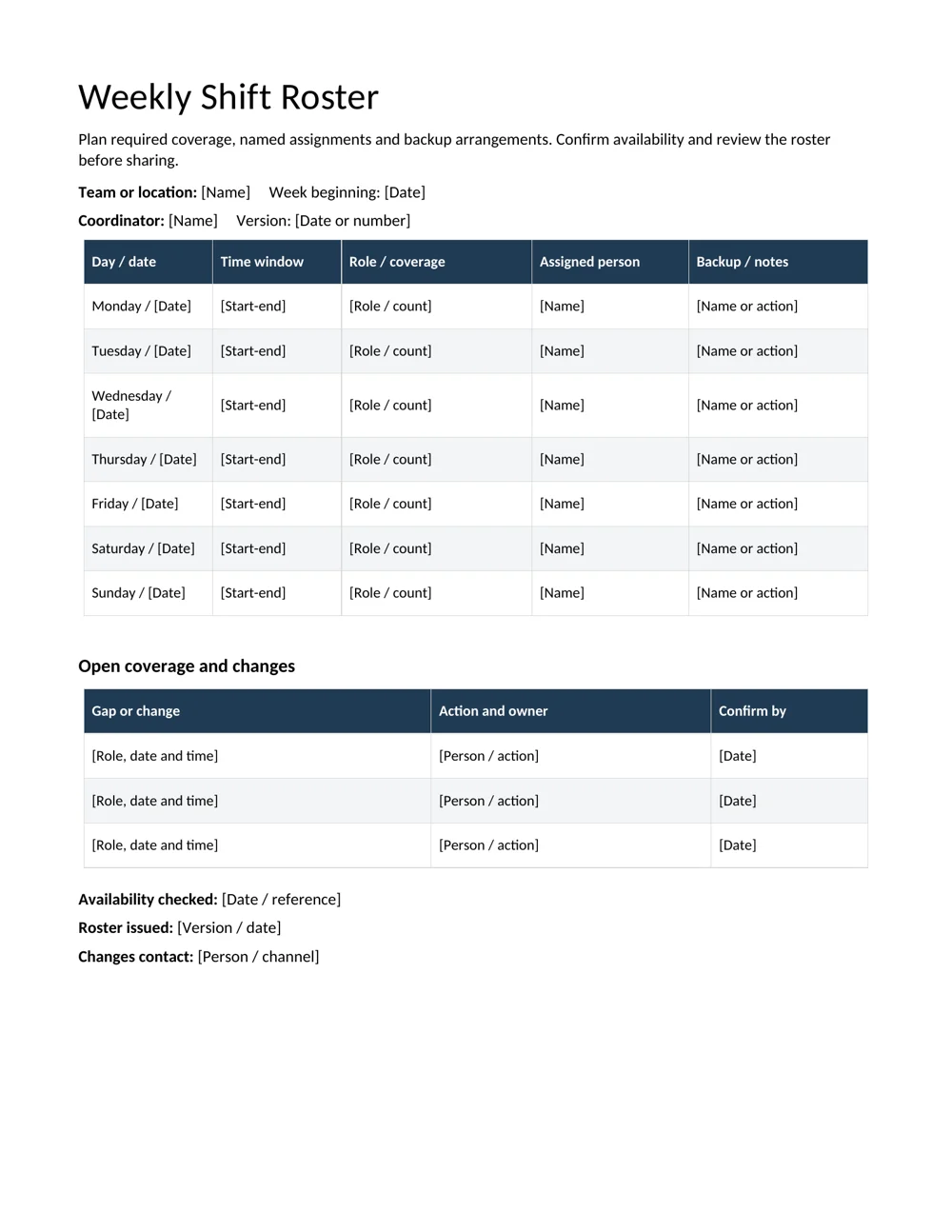
The weekly roster records day, date, time window, role, assigned person and backup or notes. Its separate gaps-and-changes table helps keep an unresolved slot visible instead of hiding it in a general comment.
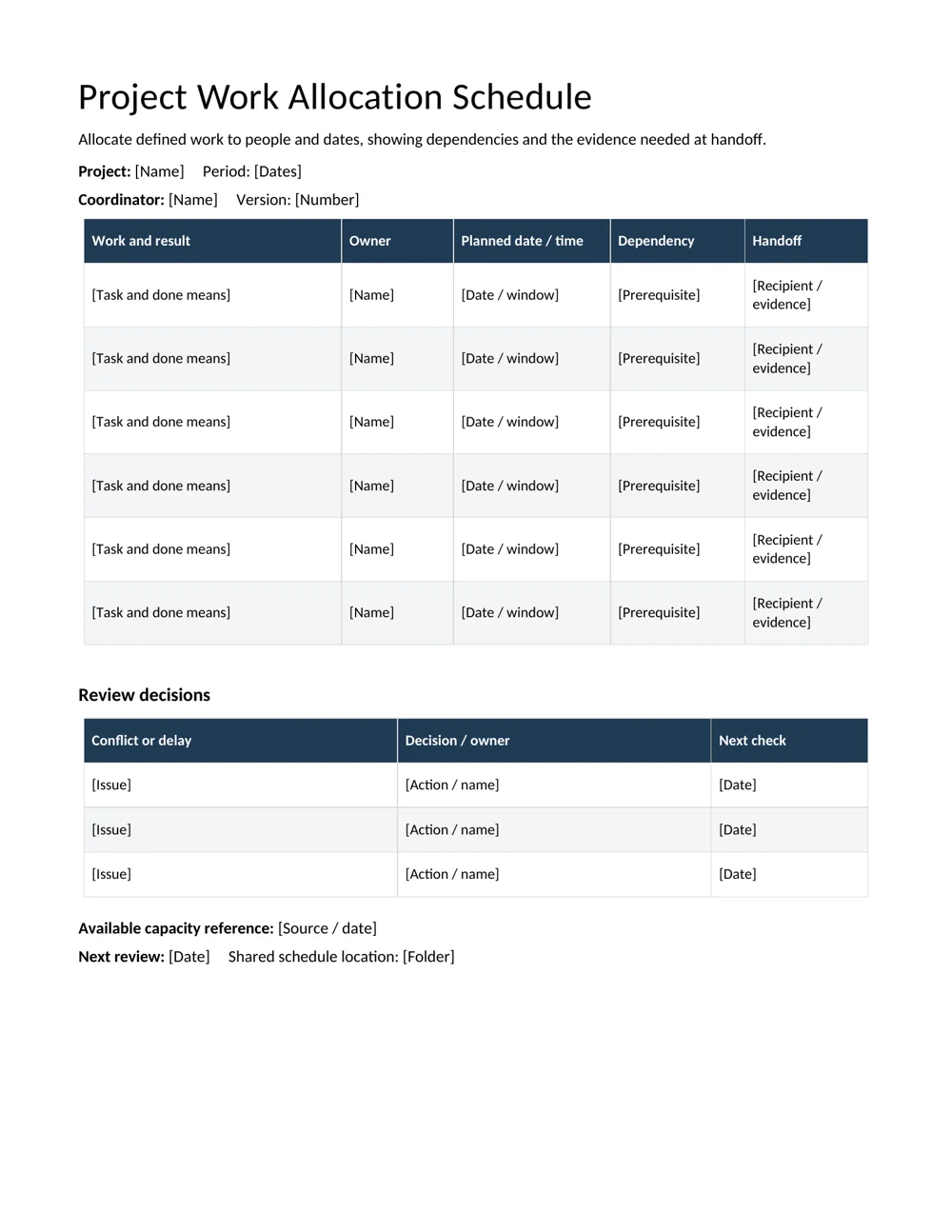
The project schedule records the work and expected result, owner, planned window, dependency and handoff. Use it when sequence matters as much as presence. A person can be available and still be unable to begin because a required input has not arrived.
A daily schedule can provide a more detailed view of one person’s day. Keep the shared work schedule focused on coverage and coordination so it does not become a second, conflicting personal calendar.
Write the period and dates clearly. “Tuesday morning” is understandable only while everyone is thinking about the same week. The issue date and version make the schedule easier to use after the original planning conversation.
Availability is an input, not the finished roster
Collect the relevant availability before making assignments. Record when people can work, which roles they can cover and any existing commitments that affect the proposed plan. Use the organization’s appropriate process for that information.
Keep unnecessary explanations out of the shared schedule. Colleagues usually need to know that a person is unavailable for a window, not the private reason. A reference can connect the coordinator with a separate record if follow-up is needed.
Compare the available capacity with the actual requirement. Several available people do not necessarily cover the right time, location or role. Likewise, one person listed across overlapping tasks may make the plan look complete while creating an impossible handoff.
The templates do not calculate staffing capacity, total hours or applicable working arrangements. Check the proposed assignments against the requirements already established for the team and the work. Do not infer that a filled row means the arrangement has been reviewed.
Where a role follows an approved method, link the relevant standard operating procedure in the supporting record. A schedule can identify who is assigned without replacing the instructions or preparation needed to perform the task.
Test the coverage with a small example
Consider a fictional desk that needs coverage in two windows. The initial draft lists Alex and Rowan in the morning and nobody in the afternoon. It has two assigned names, but it does not cover both requirements.
| Required window | Initial draft | Issue to resolve |
|---|---|---|
| Morning | Alex and Rowan | Check whether both are needed together |
| Afternoon | No assignment | Confirm an available person for the role |
Do not simply move Rowan to the afternoon without checking the relevant availability and arrangement. The example identifies a planning question, not permission to change someone’s assignment without confirmation.
Once a suitable assignment is confirmed, record the actual time window and the person responsible. If a backup arrangement is needed, distinguish it from the main assignment so the backup is not mistaken for someone already scheduled to be present.
Read across the week as well as down each day. A change that fixes Tuesday may conflict with a project task, another location or the same person’s existing work. The useful review asks whether the people and work fit together, not only whether every cell contains a name.
For project work, make the dependency visible
A project schedule should describe a result rather than a vague activity. “Prepare the reviewed customer summary” gives the owner and recipient something to recognize. “Work on report” leaves the expected handoff unclear.
Identify the input needed before the task can begin. A layout task may depend on approved text; a review may depend on a complete draft. Record the prerequisite and who is responsible for providing it.
Distinguish the task’s planned window from the point when another person needs the result. Someone may work on a draft over two days, while the reviewer needs the completed version at a specific handoff. Make that relationship understandable.
Use a weekly status report to summarize outcomes and blockers when the team needs a higher-level view. Keep the task schedule as the working record of owners, dates and dependencies.
If a prerequisite slips, review the affected sequence instead of quietly changing only one date. The next owner may need a revised window, and the coordinator may need to choose which work takes priority. A visible dependency helps the right conversation happen before the later task is already overdue.
Publish a schedule people can act on
Before issuing the schedule, check that each person can identify their assignment, date, time or work window and relevant location or handoff. A schedule understood only by its author is not ready to coordinate a team.
Keep proposed assignments distinguishable from confirmed ones during preparation. When the version is issued, explain any unresolved slot clearly and assign someone to resolve it. Do not make a blank look like a settled decision.
Choose one location for the current version and a clear route for changes. A noticeboard copy, shared document and message attachment can drift apart if nobody knows which is authoritative. Include the version or issue date on the file.
Ask people to review the relevant assignment through the team’s normal process. This can reveal a conflict, missing detail or misunderstood role before the work begins. The document itself does not notify people or obtain their confirmation.
For printed copies, preview the edited layout. Long names or descriptions may need more room, and an additional page should repeat the team, period and version. Keep the information readable rather than squeezing a larger team into tiny text.
Handle swaps and delays as changes to a shared plan
A shift swap affects more than two names if coverage, role preparation or a backup arrangement changes. Confirm the relevant details, update the current roster and communicate the version through the agreed process.
Record the date and time affected, the resulting assignment and any next action. Avoid a vague note such as “Tuesday changed,” which leaves other readers guessing about the afternoon or another location.
For project delays, identify the changed result or handoff and the people affected downstream. A later draft may require a new review time. A reduced scope may require a decision about which part can still be delivered.
Keep the reason for a personal absence separate from the operational update where that is appropriate. The shared plan needs to show how the work will be covered, not become a general record of private circumstances.
After a change, run the coverage check again. A replacement that fills one gap can accidentally duplicate another assignment. The aim is a consistent current plan, not merely a record that a message about the change was sent.
Use the end-of-week review to improve the next draft
Compare the planned work with what actually happened. Look for recurring gaps, rushed handoffs, overestimated capacity and tasks that could not start because an input was missing.
Separate an unusual disruption from a pattern. One unexpected change does not necessarily mean the whole schedule design is wrong. Repeated conflicts around the same role or handoff suggest a more specific planning issue.
Record a practical adjustment for the next period. That might mean checking availability earlier, defining a task more clearly or adding a confirmed handoff before a dependent activity. Avoid solving every problem by adding another field nobody will maintain.
Retain the relevant issued version and changes through the team’s process. Keep a clean master for the next period and clear old names, dates and assumptions before reusing it.
A useful work schedule is neither a wish list nor a record completed after the work. It is a current agreement about the next period that people can read, check and revise together. The templates supply a structure; the review keeps that structure connected to the real work.
Download the 2 editable Word templates
Weekly Shift Roster
A seven-day coverage roster with time windows, roles, named assignments and a separate list of gaps or changes.
Project Work Allocation Schedule
A task-focused work schedule connecting dates, owners, dependencies and handoff evidence.
Frequently asked questions
Which file should I use for staff shifts?
Use the weekly shift roster. It organizes coverage by day, time window, role, named assignment and backup or notes.
Which file fits project tasks?
Use the project work allocation schedule. It connects a defined result with an owner, planned window, dependency and handoff.
Do the templates calculate hours or capacity?
No. They are manual Word schedules. Check the assignments and relevant working arrangements through your team’s process.
How should an unfilled slot appear?
Keep it visibly unresolved and record the role, date, time and person responsible for finding a confirmed arrangement. Do not let a blank imply that coverage is settled.
What should happen after a schedule change?
Update the current version, check the wider coverage or dependency effects and communicate the revised assignment through the agreed channel.

You must be logged in to post a comment.