
These purchase order templates help you record an order clearly and follow it through confirmation and delivery. The first Word file is an editable order form. The second is a tracking register for open orders, expected delivery dates and exceptions.
Use the form after the purchasing details are agreed internally. A clear item description, quantity, price, delivery address and reference number makes it easier for the buyer and supplier to discuss the same order.
Jump to the downloadable templates
What the order form records
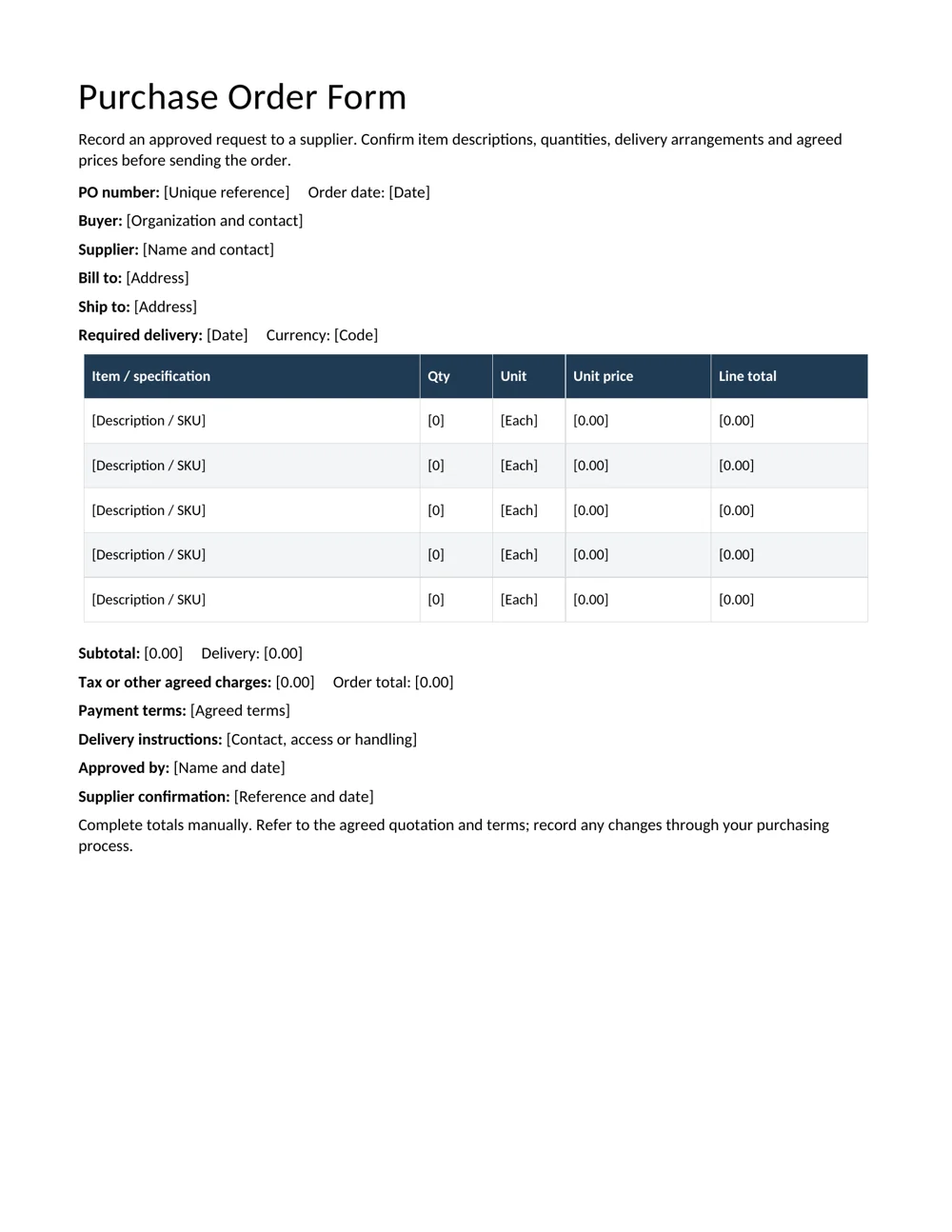
The form includes buyer and supplier contacts, a unique PO number, order date, billing and delivery addresses, required delivery date, currency, item lines, charges, payment terms and approval details. Totals are entered manually; this Word document is not an automatic pricing workbook.
Describe an item precisely enough to distinguish it from a similar product. Include a supplier item code, size, model or agreed specification where needed. For services, describe the deliverable and reference the agreed quotation or scope rather than using a vague line such as “consulting.”
A price list can help organize a reference, but confirm the agreed price for this order. A general list may not reflect the quantity, delivery arrangement or quotation being accepted.
Complete a purchase order in a clear sequence
- Assign the reference. Use a unique number that follows your organization’s system. Keep it consistent on correspondence and records.
- Check the parties. Confirm the supplier contact and the correct billing and delivery details.
- Enter the order lines. Record description, quantity, unit, unit price and line total. Make the unit explicit: a box and an individual item are not interchangeable.
- Review charges and currency. Show agreed delivery and other charges separately. Confirm the order total against the quotation.
- Confirm timing and terms. Record the required date and relevant agreed instructions without inventing terms that have not been accepted.
- Follow the approval process. Obtain the appropriate internal approval, then send the order through the agreed supplier channel and record the confirmation.
A supplier may provide a pro forma invoice during the discussion. Keep its reference with the order so later documents can be compared.
Worked example: units, charges and total
Suppose an order contains 20 notebooks at 3 currency units each and 10 folders at 2 each. The notebook line is 60 and the folder line is 20, giving a subtotal of 80. If agreed delivery is 5 and there are no other charges in this illustrative example, the order total is 85.
If the supplier actually sells notebooks in packs of five, the quantity and unit need to reflect that arrangement. Writing “20” without a unit could create confusion between 20 notebooks and 20 packs. Resolve the distinction before sending the order.
Check the arithmetic independently because the Word form does not calculate it. Replace every placeholder, remove unused item rows if useful and confirm that the final total matches the supporting quotation.
Track orders and partial deliveries
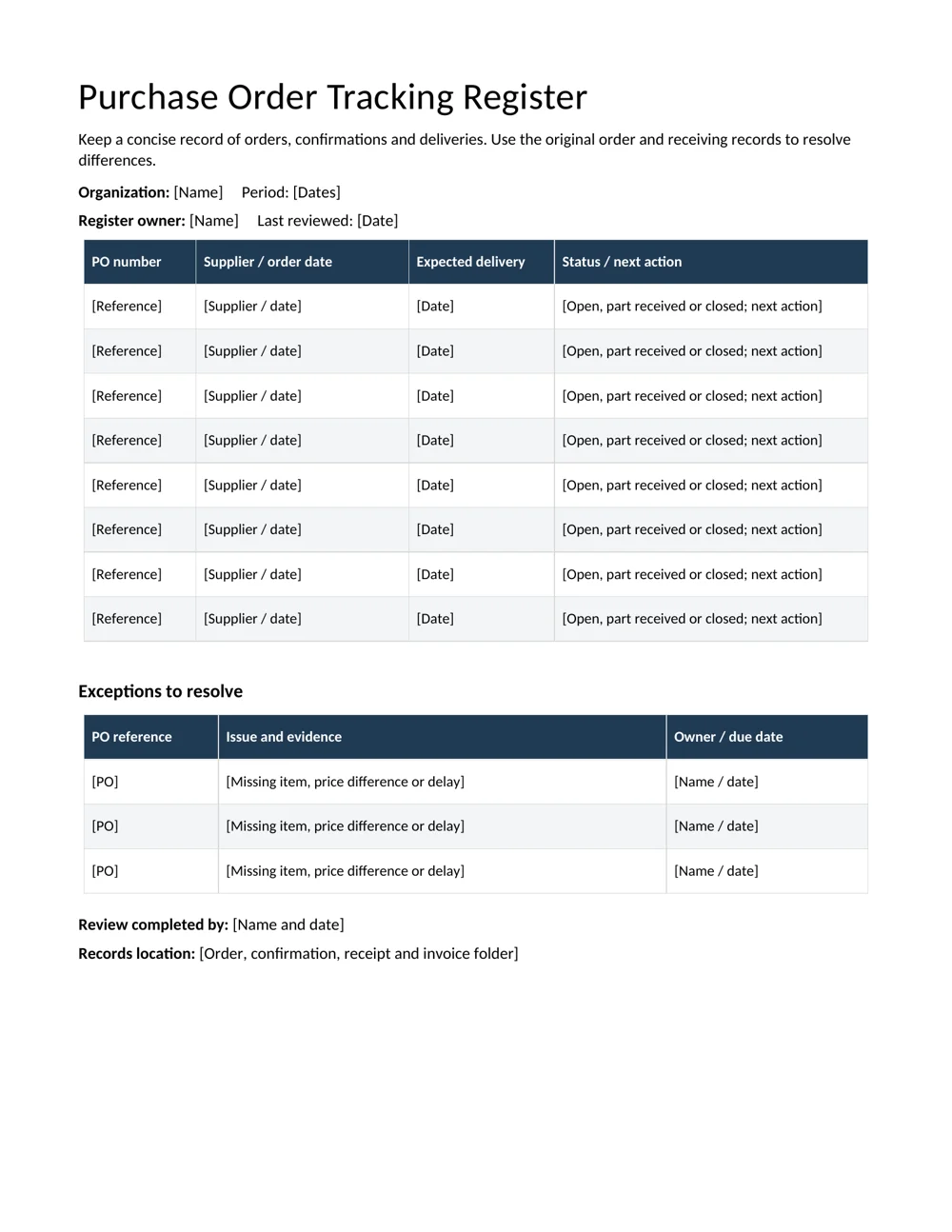
The register gives each order a supplier, order date, expected delivery and status. Use a concise next action, such as “confirm balance of five folders by Friday,” rather than leaving an overdue order marked only “open.”
Record partial receipts without making the whole order appear complete. Keep the receiving evidence with the order and identify any missing, damaged or different items through the normal receiving process. The exceptions table provides a place for the issue, evidence, owner and due date.
When an invoice arrives, compare the relevant order details, receiving record and invoice before treating the purchase as complete. A contractor invoice format can help organize service billing, while the original order records what was requested.
Control revisions and close the record
If quantities, prices or delivery dates change, retain a clear record of the change and confirmation. Do not overwrite the earlier order in a way that makes it impossible to understand which version was sent. Use a revision reference or your organization’s change process.
Close the register entry only when the relevant delivery and document checks are resolved. Keep the order, confirmation, receiving record, changes and invoice together under the same reference.
The templates support an administrative workflow. They do not determine the legal effect of a particular order or replace agreed purchasing terms. Use the appropriate reviewed terms and internal process for the transaction.
Confirm the supplier’s response against the order
When the supplier confirms the order, compare the confirmation with the version sent. Check the item description, quantity, unit, price, delivery details and any stated exceptions. A confirmation reference alone does not show that every detail matches.
Suppose the order requests 20 individual notebooks but the confirmation describes 20 packs. Resolve the unit difference before delivery. A similar check applies when the supplier substitutes a product code, changes a required date or adds a charge. Record the agreed correction in the appropriate order history.
Give the person handling the order a clear next action when confirmation is incomplete. “Awaiting supplier” can remain on a register for weeks without progress. “Ask supplier to confirm the delivery date by Tuesday” gives an owner something specific to follow up.
Keep the confirmation and relevant correspondence under the PO reference. This helps a colleague take over the order without searching a personal inbox for the most recent conversation. If the supplier cannot meet a critical requirement, route the decision through the purchasing process before accepting a different arrangement or sending a replacement order.
Check common entry errors with a second pass
Review the order once for completeness and once for consistency. The completeness pass checks that required fields have been filled. The consistency pass checks that the fields agree with one another and with the supporting quotation. A form can have no blanks and still contain the wrong delivery address or unit price.
Read quantities alongside their units, then calculate each line independently. Check whether a discount or delivery charge applies to a particular line or to the complete order. Keep the treatment clear instead of placing an unexplained adjustment inside a total.
Check the billing and shipping addresses separately. They may be different, and a familiar organization name does not guarantee that the selected branch or delivery location is correct. Add the relevant receiving contact and instructions when they are part of the agreed arrangement.
Finally, confirm that the PO number has not been reused for an unrelated order. If a revised document uses the same main reference, identify the revision through the organization’s process. This makes it easier to distinguish a change from a duplicate order and reduces confusion when an invoice arrives with only the main PO reference.
Use the register for handovers and closure
A colleague should be able to read the register and identify which orders need attention today. Include a current status and a next action, not a full copy of every email. The detailed evidence belongs with the order record; the register provides the overview and points to the outstanding issue.
For a partial delivery, identify what arrived and what remains outstanding. If 15 of 20 notebooks were received, record the balance of five and the expected resolution. Avoid changing the original ordered quantity to 15 merely to make the entry appear complete.
Before closing an order, check the issues relevant to the purchase: receipt of the agreed goods or service, resolution of differences and completion of the required document checks. A status of closed should mean the organization’s closure steps have been completed, rather than simply that an invoice was received.
At a handover, review the exceptions table with the incoming owner. Confirm the next contact, due date and location of the evidence. A concise, current register is more valuable than a large one containing obsolete promises. Retain the completed order record so a later question about a delivery or invoice can be traced back to the agreed request.
Download the 2 editable templates
Choose a file below. The preview shows the supplied layout; use the download link to open the editable document. Save a clean master before creating your completed copy.
Purchase order form
Record parties, order lines, prices, delivery details and approval. Complete totals manually.
Purchase order tracking register
Track confirmations, delivery status and exceptions across several orders.
Frequently Asked Questions
What is the difference between a PO and an invoice?
A purchase order records the buyer’s order details. An invoice is a supplier’s billing document. Keep their references connected while checking the relevant quantities, prices and receipt records.
Does the Word form calculate totals?
No. Enter and check line totals, charges and the final amount manually. The form is designed for editable order documentation.
Can I use the form for services?
Yes. Describe the deliverables, timing and agreed reference clearly. A service order may need additional scope or milestone detail through your purchasing process.
How do I record a partial delivery?
Keep the order open or mark it part received. Record what is outstanding, the evidence and the person following up, rather than marking the complete order delivered.
Should I change a PO after sending it?
Use a clear revision or change process and retain the confirmation. Keep enough history to identify what was sent and which change was agreed.

You must be logged in to post a comment.