
What Is a Bank Statement Template?
A bank statement template is a ready-made layout that mirrors the format of an official bank statement. It shows account details, transaction history, deposits, withdrawals, and running balances. These templates are used to create personal record-keeping documents, sample statements for training purposes, or reference formats for reconciling your own finances. Instead of building a statement layout from scratch, you can download a template. Then customize it with the specific account information and transactions you need to display.
Why a Bank Statement Matters
A bank statement is the official record a bank sends to account holders, summarizing all transactions over a given period. It plays a central role in personal and business financial management. It lets account holders verify that all deposits and withdrawals were processed correctly. It also helps them catch potential errors or fraudulent charges and reconcile their own records against the bank’s. Many institutions and organizations, such as landlords, lenders, and visa offices, also request bank statements as proof of financial standing. That makes having a clear, well-organized statement format useful beyond just personal tracking.
What to Include in a Bank Statement
A complete bank statement should include the account holder’s name and account number, the statement period, and the opening and closing balances. It should also have an itemized list of all transactions with dates, descriptions, and amounts. Most statements also separate deposits from withdrawals. Many include a running balance column too, so the account holder can see how each transaction affected their balance in real time. Bank name, branch details, and contact information typically appear in the header or footer.
Types of Bank Statement Templates
The templates below cover a range of styles and purposes. Some are monthly statement formats for regular record-keeping. Others are blank templates for building a statement from scratch with your own transaction data. There are also sample statements useful as visual references for what a completed statement typically looks like. Whichever format you choose, each template follows the general structure of a real bank statement while remaining fully editable.
Tips for Using a Bank Statement Template
Always double-check that your transaction totals reconcile correctly, since a statement with mismatched running balances can create confusion later. Keep statements organized by month or period, whether digitally or in a physical folder. That way, you can quickly locate a specific record when needed. If you’re using a statement for record-keeping or reconciliation, compare it regularly against your actual bank account. Catching discrepancies early is easier than fixing them at the end of the year.
Download a Free Bank Statement Template
Choose from the downloadable files below. Each retained preview has an associated file link; check the file format before opening it in your software.
Bank Statement Sample
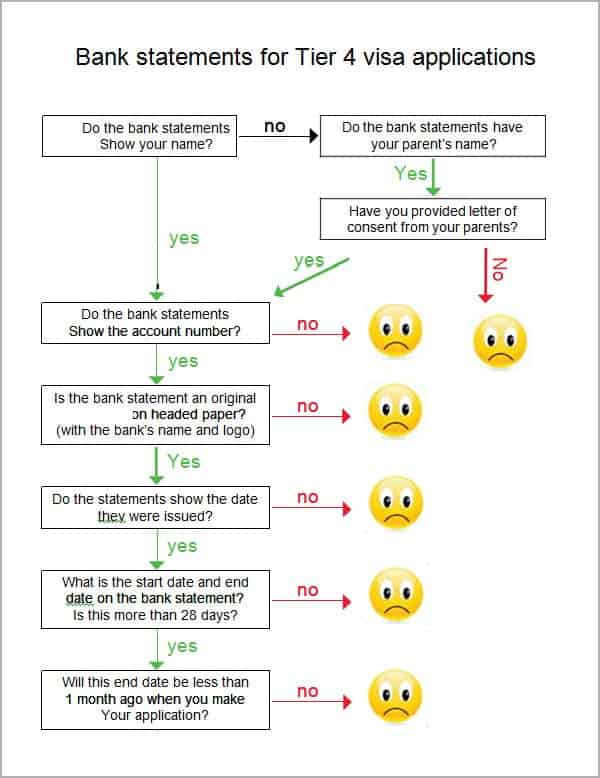
 .
.
Monthly Bank Statement Template
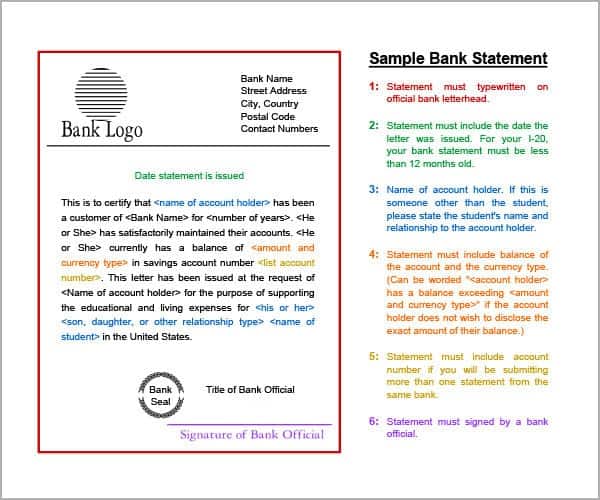
Sample Bank Statement
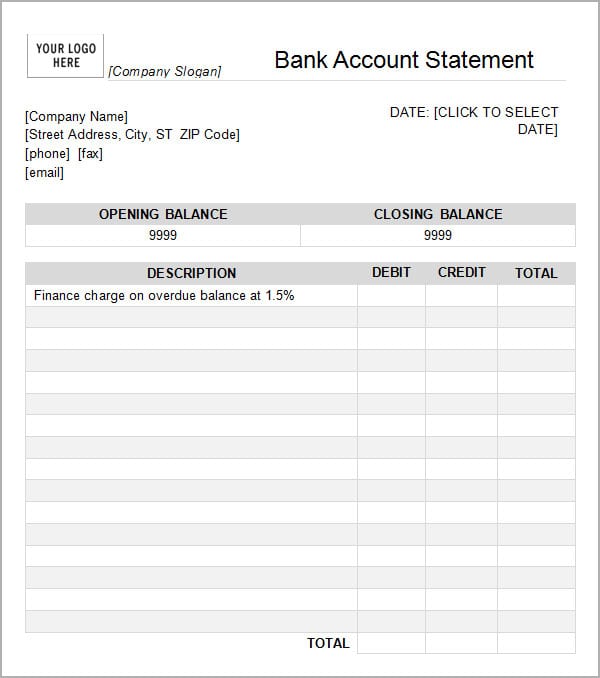
Bank Statement Template Download
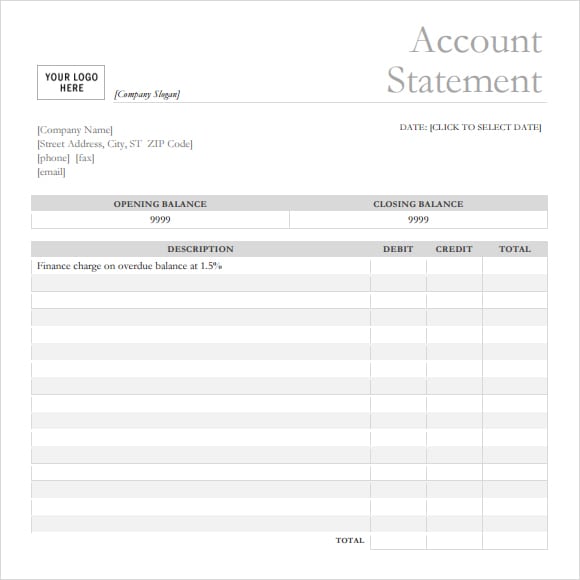
You can download cash flow statement templates as well form external source.
Example: Reconcile a Transaction Worksheet
In a fictional account, an opening balance of 1,000 currency units plus deposits of 600 minus withdrawals of 250 gives an expected closing balance of 1,350. Compare each entry with the bank-issued record and list timing differences separately. A matching arithmetic total does not prove that every transaction is genuine or recorded in the correct period.
Use an editable layout for training, budgeting or reconciliation and mark sample records clearly. When an institution requests an official bank statement, obtain it from the bank; a homemade template is not a substitute. Do not copy bank branding or present a personal worksheet as an institution-issued financial record.
Reconcile the account activity with supporting transaction records such as our rent receipt templates, pay stub templates, contractor invoice templates.
If an account entry records a loan repayment, match it to the agreed repayment schedule rather than treating the transfer description as the full agreement. See our promissory note templates for the terms that need to be documented separately.
Frequently Asked Questions
What information does a bank statement typically show?
A bank statement typically shows the account holder’s name and account number, the statement period, opening and closing balances, and an itemized list of deposits, withdrawals, and other transactions during that period.
How often do banks issue statements?
Most banks issue statements monthly, though some accounts may offer quarterly or on-demand statements. Account holders can usually request an earlier statement directly from their bank if they need one before the regular issue date.
Can I use a bank statement template to reconcile my own accounts?
Yes, a blank or editable bank statement template can be a useful tool for personal reconciliation, letting you track transactions in a familiar format and compare your own records against your bank’s official statement.
Why might someone need a sample bank statement format?
Sample bank statement formats are often used for training, software testing, financial literacy education, or as a visual reference when creating other financial documents that need to follow a similar layout.

You must be logged in to post a comment.