
Sending an invoice is only the beginning of the record. The business also needs to know which bill was issued, when it is due, whether a payment has been matched and what balance remains.
These two invoice templates cover both sides: a standard business invoice and a manual invoice register. They are editable Word files with no automatic calculations or payment connection. Use the invoice to explain the charge and the register to maintain a clear view of issued bills and their status.
View the two editable Word downloads
Build a consistent billing record
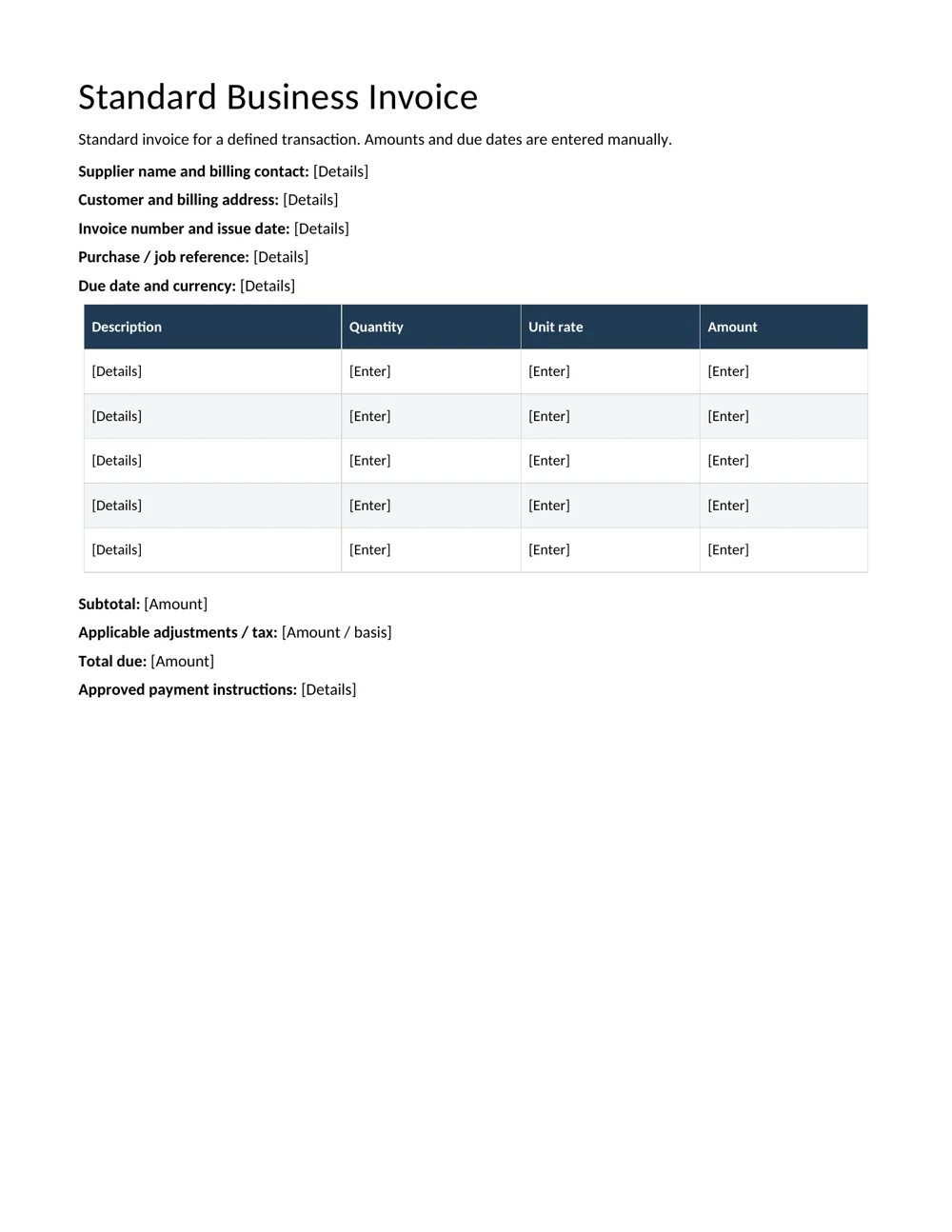
Use the Standard Business Invoice for the supplier, customer, issue date, reference, due date, currency and itemized charge. Confirm the mandatory details and tax treatment that apply to the actual transaction and jurisdiction.
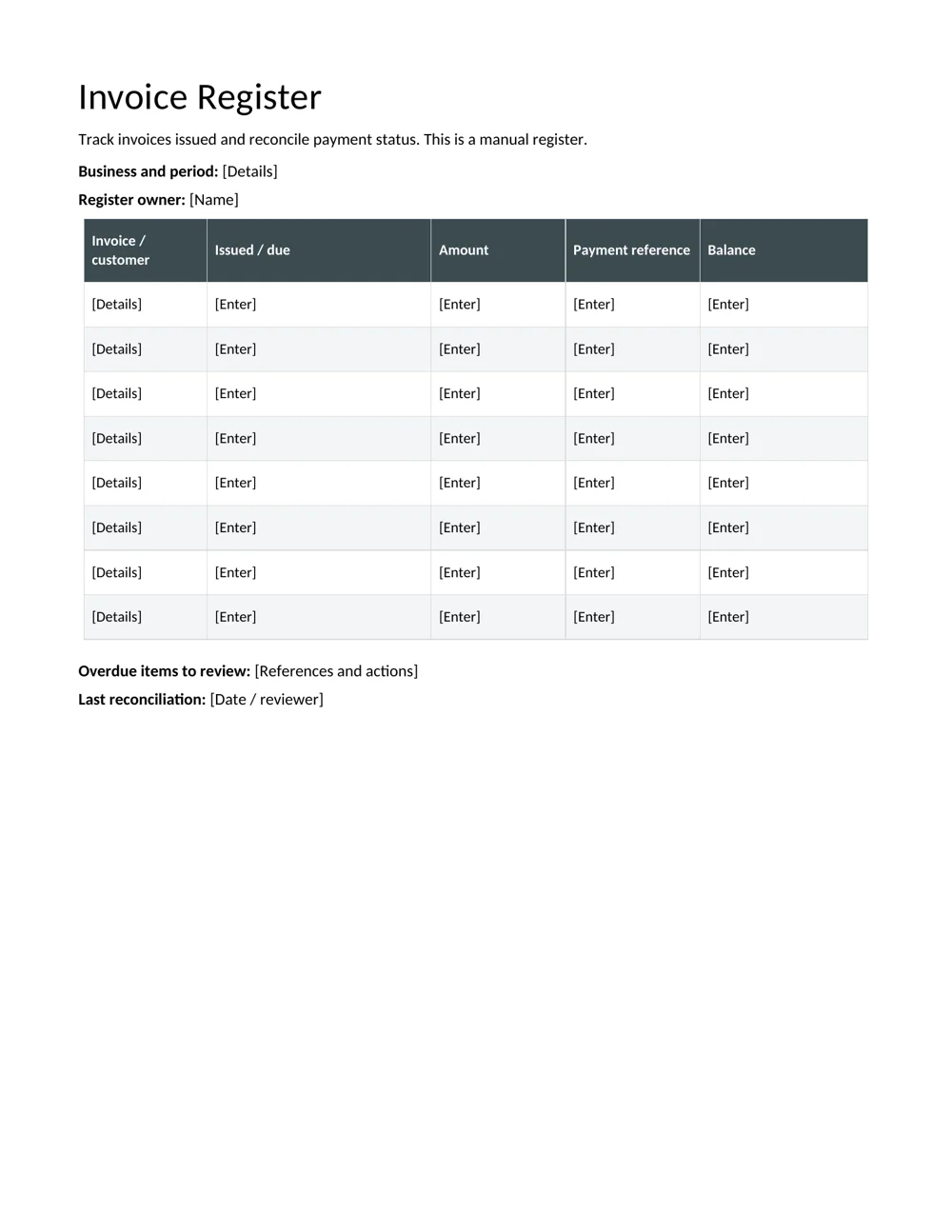
The Invoice Register records the invoice and customer, issue and due dates, amount, payment reference and balance. It helps connect the issued document with later activity without changing the invoice itself every time a payment occurs.
Choose one normal numbering and record process. A new template should fit that process rather than create a parallel sequence that another person cannot reconcile.
For industry-specific billing, a contractor invoice may offer a more suitable layout. This page focuses on keeping the general invoice and its tracking record connected.
Make the invoice recognizable to the customer
Describe the goods or services clearly and use the customer’s relevant purchase or job reference where required. A billing team should be able to connect the invoice with the transaction it is being asked to process.
State the quantity basis and rate. A number without units can leave the reader unsure whether it represents hours, individual items or a package. Check the line amounts and final total manually.
Use complete dates and an explicit currency. Confirm the billing contact and route before sending. A correct invoice sent to an unmonitored address can remain unresolved for reasons unrelated to its design.
A price list can support a standard rate check, but the invoice needs the amount actually agreed for this transaction. Record an approved adjustment through the appropriate process.
Use the register to show facts about status
Enter a bill when it has actually been issued under the business’s process. Keep a draft distinguishable from an issued invoice so the register does not overstate what has been sent.
Record payments using the supporting transaction reference. Do not mark an invoice paid simply because the customer says a transfer is planned. Match the actual evidence through the normal reconciliation process.
If a payment covers more than one invoice, record the allocation clearly. A total receipt does not explain which balance it reduces unless the relationship is documented.
The register is manual. It does not import bank transactions, calculate overdue days or prevent duplicate invoice numbers. Review the entries against the authoritative records rather than treating the Word table as an automated control.
Work through a partial payment example
Imagine an invoice for 480 currency units. A verified payment of 180 is allocated to it. The remaining balance is 300, assuming no other relevant credit or adjustment.
The register can show the invoice amount, payment reference and balance. If a further 300 is later received and correctly allocated, the balance becomes zero. The second payment should retain its own reference through the appropriate record.
Do not overwrite the original invoice amount with 300 after the first payment. That would confuse the billed amount with the remaining amount due. The register exists partly to preserve that distinction.
Where a credit, refund or correction affects the account, follow the applicable accounting and invoicing process. The simple subtraction example does not determine the treatment of every adjustment.
Follow up with a specific question
Before chasing an apparent overdue balance, confirm the issue date, agreed due date, delivery route and any payment not yet matched. A missing reference or billing query may explain the status.
Use a short, accurate follow-up that names the invoice, amount and relevant date. Ask about the actual issue rather than sending a generic demand that ignores a known question.
A phone log can record a billing conversation and agreed next action. Keep the invoice register’s status concise and reference the supporting note where needed.
Do not invent late charges or enforcement wording from a template. Any such term needs to reflect the actual agreement and applicable requirements.
Review the invoice and register as a pair
Check that the invoice number, customer, dates, currency and amount match between the issued document and register. Then check payment references and remaining balances against the relevant records.
Keep a clean invoice master and separate issued copies. Remove prompts and old customer data before sharing a new invoice. Preview the final page after adding descriptions so totals and instructions remain readable.
When an issued invoice is corrected, follow the appropriate process and keep the connection to the earlier reference. The register should explain the current status without erasing the history needed to understand it.
A useful billing system lets another person trace the amount from the original charge to the current balance. These files support that explanation when used with accurate records and a consistent review routine.
Set up the register before the first invoice is issued
Give the register a business name, reporting period and owner. The owner is the person responsible for keeping the working record current, not necessarily the person who approves every invoice or receives every payment.
Choose how the invoice and customer will be identified in a row. A unique invoice reference is essential to distinguish bills with the same amount. Add the customer name or account reference needed by the people using the register.
Use the issue and due fields consistently. The issue date records when the bill was issued under your process; the due date reflects the applicable arrangement. Do not put an estimated payment date into the due field without explaining the distinction.
The amount column records the invoice amount on the stated basis and currency. If the business handles several currencies, use separate clear records or another appropriate presentation. Adding differently denominated balances into one apparent total would mislead the reviewer.
The payment reference points to actual evidence. If several payments relate to one invoice, use a linked detail record rather than squeezing an unexplained total into the reference cell. Keep the current balance reproducible from those records.
Review three different billing questions
An invoice may remain open because the customer has a factual query. In that case, record the query reference and next action through the business’s process. Calling the item overdue does not explain whether anyone has answered the question.
A second invoice may appear unpaid because a transfer arrived without the expected reference. The useful action is to investigate the match using the actual payment records. Do not mark every bill for that customer paid simply because a similarly sized transfer exists.
A third invoice may have been replaced through the applicable correction process. Keep the relationship between the references clear so the register does not treat both versions as independent amounts due.
These situations need different follow-ups even though each may initially appear as an open balance. A register is useful when it directs the next sensible action instead of reducing every item to the same status word.
At review, compare the register with the authoritative billing and payment records. Check the scope of the period and make sure closed items were closed for a supported reason. A tidy table can still contain stale information if nobody reconciles it after the initial entry.
Keep a dated review reference so another colleague knows how current the working copy is.
Download the 2 editable Word resources
Standard Business Invoice
Standard invoice for a defined transaction. Amounts and due dates are entered manually.
Invoice Register
Track invoices issued and reconcile payment status. This is a manual register.
Frequently asked questions
What are the two downloads?
A standard business invoice and a manual invoice register for issued bills and payment references.
Do they calculate totals or balances?
No. Check all figures manually and reconcile them to the relevant records.
Should I change the original invoice amount after a partial payment?
Keep the billed amount distinct from the remaining balance. Record the payment allocation through the appropriate process.
Is the register connected to a bank account?
No. It does not import or verify transactions.
Can I add tax or other required details?
Add the correct information for the actual transaction after checking the applicable requirements.

You must be logged in to post a comment.